7 Best SleekFlow Alternatives for WhatsApp DMs (2026)

The best SleekFlow alternative depends on the part of SleekFlow you want to leave. If you want the same omnichannel inbox without a markup on WhatsApp messages, Respond.io is the closest match. If you are on SleekFlow Essential and miss AI replies and broadcasts, Wati gives you both for about the same price. If you need email and voice in the same inbox, Trengo. If you want a sales pipeline around your chats, Kommo. If you want one flat price for a whole team, Crisp. If you sell to an Instagram audience with comment-to-DM funnels, ManyChat. And if your WhatsApp and Instagram DMs exist to book sales calls for a coaching offer, an AI setter does that job directly.
We checked every price below on each vendor's own pricing page on November 28, 2026, and we read SleekFlow's WhatsApp rate card line by line against Meta's own rate card. That comparison is the part most "SleekFlow alternatives" lists skip, and it changes the math for anyone who sends a lot of template messages.
SleekFlow in 2026: the plans and the fees around them
SleekFlow sells four plans. It bills on monthly active contacts (MACs): a contact counts when they message you, or when you message them from the inbox, a flow, the AI agent or the API, within the billing month. Contacts who only receive a one-way broadcast and never reply are not counted.
| SleekFlow plan | Yearly billing (per month) | Monthly billing | Contacts and seats | What it adds |
|---|---|---|---|---|
| SleekFlow Essential | $49 | $69 | 500 MACs, 3 seats, 5 channels | Omnichannel inbox, simple automations, AI co-pilot. No AI agent, no broadcasts |
| SleekFlow Pro | $109 | $139 | 500 MACs, 10 seats | AI agents, broadcasts, Flow Builder, Zapier and Make, API |
| SleekFlow Premium | $279 | $349 | 1,000 MACs, 10 seats | AI agents that call your systems, webhooks, CRM sync, 60-day onboarding |
| SleekFlow Enterprise | Custom | Custom | Custom | PII masking, SLAs, conversation export |
Yearly billing is charged upfront: $588 for Essential, $1,308 for Pro and $3,348 for Premium. SleekFlow says Essential is still rolling out by country, and every new account starts on a 7-day Pro trial. Our SleekFlow pricing breakdown walks through MAC tiers and three coach scenarios in more detail. The plan price is only the first line of the bill. These are the others:
- Extra contacts. If you pass your MAC allowance, SleekFlow adds 100 MACs at a time for $20, for that billing month only. If you are already at your allowance, a Reel that brings 300 new people into your DMs costs $60 on top.
- Extra seats. $15 per seat on Essential, $25 on Pro and Premium, $29 on Enterprise.
- Extra WhatsApp numbers. The first WhatsApp Business API number is free to host. Each additional number costs $15 a month.
- AI credits. Basic AI agent replies, the ones answered straight from your knowledge base, are unlimited and use no credits. Advanced replies, which take actions or reason over several steps, use credits: 3,000 a month on Pro (SleekFlow estimates about 100 to 200 advanced replies) and 15,000 on Premium. More credits cost $20 per 5,000.
- WhatsApp messages, billed per SleekFlow's own rate card. This is the line worth reading closely.
The WhatsApp rate card: templates cost 15% more than Meta's list price
Meta charges every WhatsApp Business API message by category and by the recipient's country. Since October 1, 2026, marketing, utility and authentication templates are charged on every delivery, and service messages (free-form replies inside the 24-hour customer service window) are free for the first 1,000 per number each month, then charged. Some providers pass Meta's rates straight through. SleekFlow publishes its own rate card, and when you put it next to Meta's rate card for the same date, the template rates are higher by the same ratio in every market we checked.
| Recipient market (USD per message, from Oct 1, 2026) | Marketing: Meta | Marketing: SleekFlow | Utility: Meta | Utility: SleekFlow | Service: both |
|---|---|---|---|---|---|
| North America | 0.025 | 0.02875 | 0.0034 | 0.00391 | 0.0034 |
| United Kingdom | 0.0635 | 0.07303 | 0.022 | 0.0253 | 0.022 |
| France | 0.0859 | 0.09879 | 0.03 | 0.0345 | 0.03 |
| Germany | 0.1365 | 0.15698 | 0.055 | 0.06325 | 0.055 |
| Mexico | 0.0397 | 0.04566 | 0.0085 | 0.00978 | 0.0085 |
Every template rate on SleekFlow's card is Meta's rate multiplied by 1.15. Service messages are listed at Meta's rate. SleekFlow's help article says WhatsApp messaging fees are charged by Meta, and its FAQ adds that fees can change "based on Meta's official pricing and rate structures, as well as other factors determined by SleekFlow." Read together, the cards show what you actually pay per template.
What it costs in practice depends on how many templates you send. A coach who sends 1,000 utility templates a month (booking confirmations, payment links) to US and Canadian numbers pays $3.91 through SleekFlow against $3.40 at Meta's rate: noise. A business that sends 10,000 marketing templates a month to customers in France pays $987.90 through SleekFlow against $859 at Meta's rate, so $128.90 more every month, or about $1,547 a year. If most of your WhatsApp volume is customer replies, the gap barely matters. If you run weekly broadcasts, it can cost more than the plan itself.
One more rule for US senders: Meta does not currently deliver marketing templates to US phone numbers at all, on any provider. Reminders and confirmations (utility templates) still go through.
Two catches before you commit or renew
Instagram account type. SleekFlow's FAQ says it connects Instagram Business accounts and that "personal/creator accounts NOT supported." Many coaches and creators run Instagram Creator accounts. If that is you, you have to switch to a Business account first, or pick a tool that accepts both.
Notice period. SleekFlow asks for written notice at least 7 days before the end of a monthly Pro or Premium term, and 30 days before the end of a yearly one. Miss it and the plan renews for another equivalent term, and fees are generally not refunded mid-term. Put the date in your calendar the day you decide to leave.
Why people look for a SleekFlow alternative
SleekFlow is a serious product, with local support teams for Asia-Pacific, EMEA and Latin America. People who leave it usually have one of these reasons, and each one points to a different alternative:
- Template costs. Broadcast-heavy businesses notice the 15% gap on marketing templates. Alternatives that pass Meta's rates through without a markup fix this.
- Essential is an inbox, not an assistant. The cheapest plan has no AI agent and no broadcasts, so a small team that wants automated first replies has to jump to Pro.
- The contact meter. Billing on monthly active contacts is fair for steady traffic, but a launch or a viral post can push you past the allowance in a week.
- Instagram Creator accounts. A creator who does not want to switch to a Business account cannot connect.
- The job is booking calls, not support. A coach selling a high-ticket program needs fast replies, qualifying questions, follow-ups and a booked call. Ticketing, VoIP and commerce catalogs are paid features they never open.
None of this makes SleekFlow a bad tool, and our SleekFlow review covers what it does well. It makes it the wrong shape for some jobs.
SleekFlow alternatives at a glance
| Tool | Best for | Entry price (checked Nov 28, 2026) | Bills on | AI that replies on its own |
|---|---|---|---|---|
| SleekFlow (baseline) | Omnichannel teams, commerce | $49 yearly, $69 monthly | Monthly active contacts | Pro and up |
| Respond.io | B2C teams selling on messaging | $79 yearly, $99 monthly | Monthly active contacts (Growth and up) | Growth and up |
| Wati | WhatsApp-first businesses | $59 yearly, $69 monthly | Plan + users | Every plan (1 agent on Growth) |
| Trengo | Support teams with email and voice | €119 yearly, €149 monthly | Users + conversations | Boost and up, plus a surcharge |
| Kommo | Pipeline CRM around chats | $25 per user, 6-month minimum | Seats | Advanced and up |
| Crisp | A flat price for the whole team | $95 per workspace for WhatsApp and Instagram | Workspace | AI credits on paid plans |
| ManyChat | Instagram comment-to-DM funnels | $29 yearly, $39 monthly (Pro, with WhatsApp) | Active contacts | Add-on on paid plans |
| SetSmart | Coaches booking sales calls from DMs | See its section below | AI messages | Every plan |
Prices are before WhatsApp message fees on every tool. Trengo prices in euros on its own page, so we kept its euro figures.
The 7 best SleekFlow alternatives in 2026
1. Respond.io: the like-for-like switch without a message markup
Respond.io is the platform most often compared with SleekFlow, and for good reason: both put WhatsApp, Instagram, Messenger and other channels in one team inbox, both meter monthly active contacts, and both sell AI agents that answer and hand over to a human. Our SleekFlow vs Respond.io comparison goes feature by feature.
Pricing: Starter $79 a month on yearly billing or $99 monthly, Growth $159 or $199, Advanced $279 or $349, Enterprise custom. Starter has no AI agents, workflows or broadcasts; Growth adds all three and starts at 1,000 MACs. Extra contacts are billed on demand at $12 per 100 on Growth and $15 per 100 on Advanced. Respond.io's pricing page describes itself as an official WhatsApp partner "with no usage markups or hidden fees," and states that WhatsApp fees are billed by Meta on top of every plan.
Where it beats SleekFlow: WhatsApp templates at Meta's rate, a larger MAC allowance on the plan with AI (1,000 against 500), and WhatsApp Business Calling, which Respond.io supports and markets against SleekFlow. Where SleekFlow still wins: a cheaper entry for a team that only needs an inbox ($49 against $79 on yearly billing), unlimited basic AI replies, and AI agents that act inside Shopify. Read our Respond.io review for the full picture.
2. Wati: AI replies and broadcasts at the Essential price
Wati started as a WhatsApp Business API provider and is now omnichannel, with Instagram, Messenger and TikTok in the same inbox. Its pitch against SleekFlow is simple: the cheapest plan already includes an AI agent and broadcasts.
Pricing: Growth $59 a month on yearly billing or $69 monthly, Pro $119 or $149, Business $279 or $349, according to the price list Wati publishes for its default dollar region. Growth includes 3 users (no extra users), 1 Astra AI agent, 2,000 AI credits a month, up to 15,000 broadcasts a month and 1,000 automation triggers. Pro has 5 users, 2 AI agents and 5,000 credits. Template messages are charged on top. There is a 7-day free trial.
Where it beats SleekFlow: for the price of SleekFlow Essential you get the AI agent and broadcasts that Essential leaves out, and Wati's standard price list (outside Latin America) sets no monthly active contact allowance. Where SleekFlow still wins: 10 seats on Pro against Wati's 5, extra seats on the entry plan (Wati Growth stops at 3 users), and basic AI replies that use no credits. If WhatsApp is your main channel, our Wati alternatives guide is the mirror of this one.
3. Trengo: one inbox for chat, email and voice
Trengo is a Dutch shared inbox built for customer service. It covers WhatsApp, Instagram, Messenger, email, live chat, SMS and voice, which makes it the pick for a team whose support still runs on email.
Pricing: Base €149 a month on monthly billing or €119 on yearly billing, with 3 users (5 at most) and 100 conversations a month; Boost €349 or €299; Pro €599 or €499. On Base the AI agent is a playground only, and a conversation handled by the AI agent carries a surcharge of €0.30 (€0.25 on yearly plans). Trengo passes service messages through at Meta's rates after the free 1,000 per number, and charges templates per message.
Where it beats SleekFlow: email and voice in the same inbox, and a European vendor. Where SleekFlow still wins: AI agents without a per-conversation surcharge, more seats per dollar, and a cheaper first plan. Our Trengo alternatives guide covers the reverse switch.
4. Kommo: a sales pipeline around your WhatsApp chats
Kommo, formerly amoCRM, is a CRM built around messaging. Every chat becomes a lead card in a pipeline, with stages, tasks and bots. It is a common choice in Latin America.
Pricing: Base $25 per user per month, Advanced $35 and Pro $45, paid in 6-month blocks at minimum ($150, $210 and $270 per user for six months). Monthly payment is not available. Base includes 1 WhatsApp number and 1 Instagram account; Advanced adds bots, broadcasts and up to 3 AI agents; Pro unlocks unlimited channels and a booking page. There is a 14-day free trial.
Where it beats SleekFlow: a real pipeline view for a team that tracks deals, and a low price for one or two users. Where SleekFlow still wins: no 6-month prepayment, and a flat price for 10 seats on Pro, while Kommo Advanced for four users already costs $140 a month. See our Kommo review before you sign a six-month term.
5. Crisp: a flat price for the whole team
Crisp is a French customer messaging platform priced per workspace, not per user or per contact. That makes it predictable for a team of five or ten people.
Pricing: Free for website chat, Mini $45 a month per workspace, Essentials $95 and Plus $295. WhatsApp and Instagram DMs come with Essentials, which includes 10 seats and $25 of AI credits (Crisp estimates about 450 automated conversations). Crisp says data is hosted on European servers.
Where it beats SleekFlow: 10 seats for one price, no contact meter, and European hosting. Where SleekFlow still wins: a cheaper first plan with WhatsApp ($49 against $95), and AI agents that act in Shopify and, on Premium, in your own systems.
6. ManyChat: Instagram funnels for creators
ManyChat is not an inbox for a support team. It is a flow builder for Instagram, Messenger and WhatsApp, best known for comment-to-DM campaigns: someone comments a keyword under a Reel, the DM goes out, the lead lands in a sequence.
Pricing: Free for 25 active contacts; Essential $17 monthly or $14 yearly with no WhatsApp; Pro $39 monthly or $29 yearly with 2,500 active contacts, WhatsApp included and a 14-day trial. Extra contacts above the tier are billed per contact.
Where it beats SleekFlow: price, and Instagram growth mechanics (comment triggers, story replies, follow-up sequences) that creators use every day. Where SleekFlow still wins: a real team inbox, routing and reporting. Our ManyChat alternatives guide explains when creators outgrow flows.
7. SetSmart: an AI setter that books the sales call
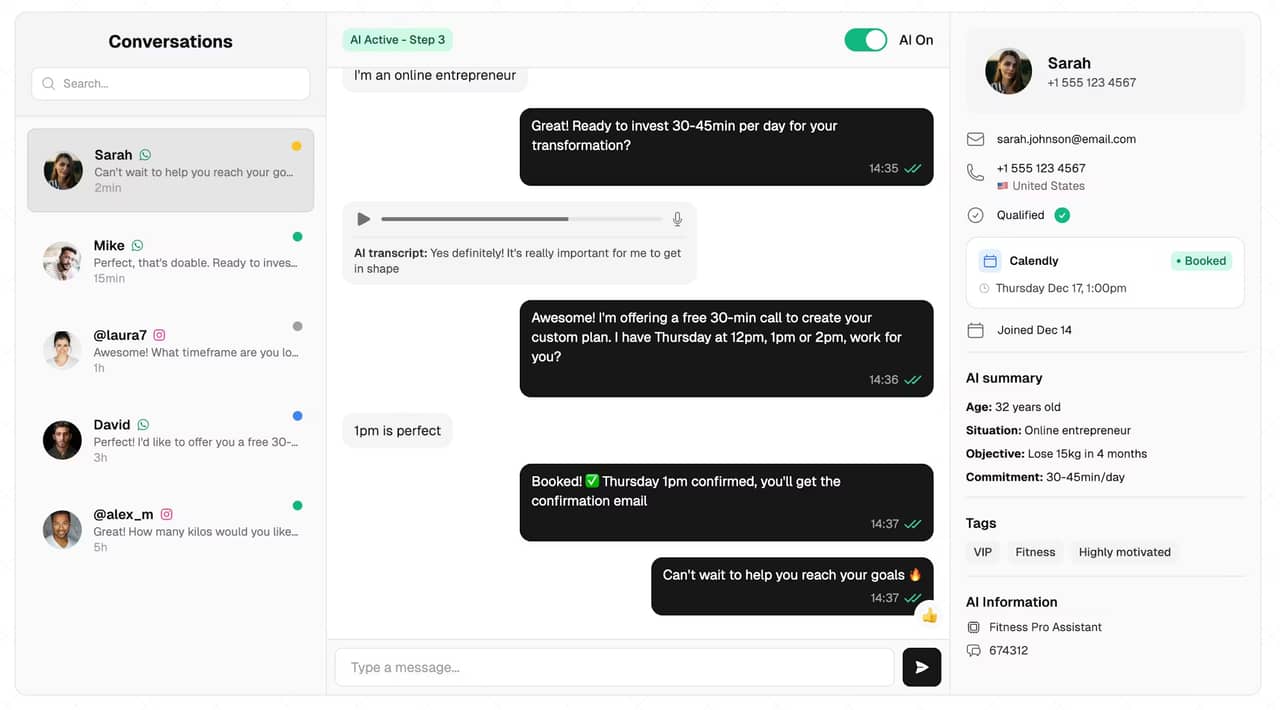
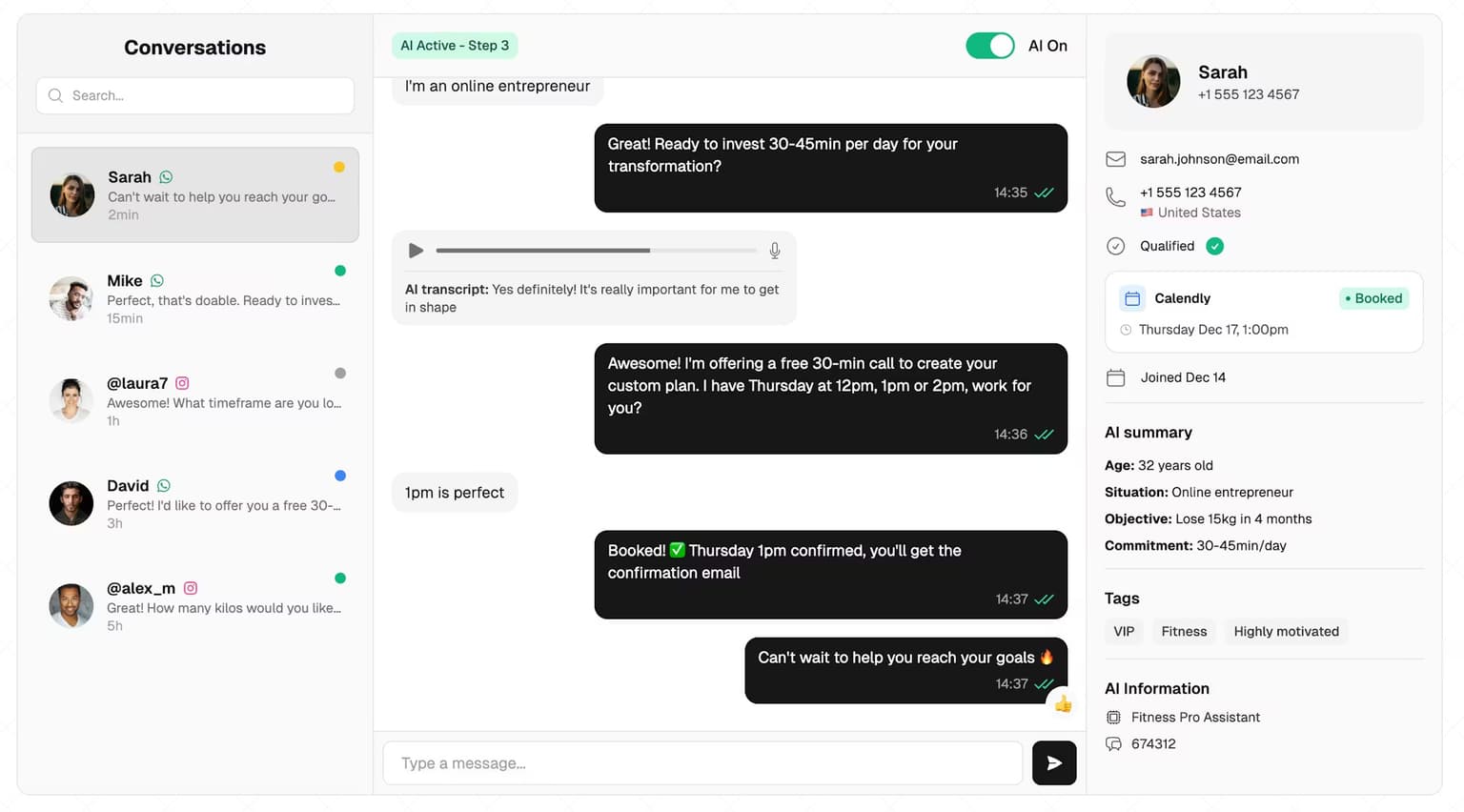
Disclosure: SetSmart is our product, so weigh this section accordingly. It is not a support inbox. It is an AI setter for coaches, course creators and agencies who sell high-ticket offers through Instagram, WhatsApp and Messenger DMs. It answers each new lead in seconds in your tone, asks your qualifying questions, follows up with leads who go quiet, and books the qualified ones into your Calendly, Cal.com, iClosed or GoHighLevel calendar inside the chat. The close happens on the call, with you or your closer.
Pricing: Light $25/mo (250 messages, billed immediately, no trial), Pro $97/mo (1,000 messages, 7-day free trial), Scale $297/mo (4,000 messages). Annual billing costs 10 times the monthly price. Each AI reply counts as one message; WhatsApp templates count as half a message.
It connects Instagram Business or Creator accounts, and WhatsApp either on a dedicated number or in coexistence with the WhatsApp Business app, with up to 6 months of chat history imported. Up to 20 teammates can share the workspace, take over a conversation, and pause the AI on any lead. What it does not do: email, SMS, website chat, ticketing or a product catalog. The reason the category exists is speed and persistence: in the 828K AI DM conversations we analyzed, 53% of conversations died before message 3, and a single follow-up doubled booked calls. Our explainer on the AI setter shows how qualification and booking work step by step.
Where it beats SleekFlow: a booked call is the output, Creator accounts connect, and you pay for AI replies, not for contacts or seats. Where SleekFlow still wins: support, commerce, broadcasts at scale, and a team inbox for many channels.
Swap by plan: what your SleekFlow plan costs elsewhere
If you already know what you use SleekFlow for, the fastest way to compare is plan against plan. Subscription prices only, before WhatsApp message fees.
| Your current plan | What you use it for | Closest swaps | What changes |
|---|---|---|---|
| SleekFlow Essential ($49 to $69) | A shared inbox for up to 3 people | Wati Growth ($59 to $69), Kommo Base for 2 users ($50 a month, prepaid 6 months) | Wati adds an AI agent and broadcasts; Kommo adds a pipeline |
| SleekFlow Pro ($109 to $139) | AI agent, broadcasts and flows for a small team | Wati Pro ($119 to $149), Respond.io Growth ($159 to $199) | Wati: 5 users and 2 AI agents; Respond.io: 1,000 MACs and templates at Meta's rate |
| SleekFlow Premium ($279 to $349) | AI agents connected to bookings, orders or a CRM | Respond.io Advanced ($279 to $349), Kommo Pro ($45 per user) | Same price band on Respond.io; Kommo adds a booking page and unlimited channels |
The first figure in each range is the yearly rate per month, the second the monthly rate. If your SleekFlow plan exists mainly so that someone can answer Instagram and WhatsApp leads and book them onto a sales call, the swap is a different category altogether: the AI setter described above, which replaces the manual setter work rather than the inbox.
Where SleekFlow still wins
An honest list of reasons to stay:
- Commerce. Shopify and VTEX integrations, WhatsApp catalogs, Stripe payment links and abandoned-cart flows are mature. For an online store selling on WhatsApp, that is hard to match.
- Unlimited basic AI replies. FAQ-style answers from your knowledge base use no credits at all. Many tools charge for every AI reply.
- Fair contact counting. One-way broadcast recipients who never reply are not billed as active contacts.
- Regional support. Local expert chat support in APAC, EMEA and LATAM office hours on Premium, and onboarding sessions in Cantonese, Portuguese and Bahasa Indonesia.
- Channels. WhatsApp, Instagram, Messenger, SMS, live chat, WeChat, LINE, Telegram, Viber, email and calls in one place.
If those are the reasons you bought SleekFlow, the cheapest fix may be staying on it and moving only your template-heavy broadcasts elsewhere, which Meta's new account model now allows.
How to switch from SleekFlow in 2026 without losing your WhatsApp number
Switching WhatsApp providers used to mean migrating the phone number from one WhatsApp Business Account to another, a process with prerequisites and a small risk of downtime. That changed this autumn. Meta's new account model, rolling out since September 23, 2026 and reaching all businesses by mid-October, splits the old WhatsApp Business Account in two: a WhatsApp account that holds your phone number and is always owned by your business, and a Messaging account per provider that holds templates and billing. According to Meta's documentation, migrating a number between providers is no longer supported: you share your WhatsApp account with the new provider instead, the number does not move, and conversations are uninterrupted.
In practice, the switch looks like this:
- Export what you need first. Export your contact lists as CSV and any analytics you want to keep. SleekFlow's pricing page lists conversation export as an Enterprise feature, and its FAQ recommends exporting important data before your subscription ends. Check what your plan can export before the notice date.
- Give your notice on time. 7 days before the end of a monthly term, 30 days before the end of a yearly one.
- Share the number with the new tool. Sign up with the new provider through Meta's onboarding flow and connect the number already registered with SleekFlow. Sharing is additive, so both tools can work on the same number for a while. Ask the new provider to confirm its signup flow supports a number already shared with another partner.
- Recreate your templates. Templates belong to each provider's Messaging account and are not shared. Recreate them, or have them copied with Meta's Template Migration API. Copied templates restart their quality rating and messaging tier, and Meta expects about 2 to 4 weeks of ramp-up, so do not plan a big broadcast in the first week.
- Move Instagram and Messenger. Connect the accounts to the new tool, then disconnect them from SleekFlow so two automations never answer the same DM.
- Remove SleekFlow from the WhatsApp account. Once the new tool handles everything, remove SleekFlow's access in Meta Business Suite. While both providers share the number, they also share its throughput and its daily messaging limit for templates, and each one bills you separately for what it sends.
If you are moving to a tool that books calls, keep your existing booking link live during the overlap so leads who were mid-conversation can still schedule. Our guide to WhatsApp CRM tools covers where contact data should live after the switch.
FAQ
What is the best SleekFlow alternative?
Respond.io is the closest like-for-like replacement for a team that sells and supports over WhatsApp, Instagram and Messenger, and it passes WhatsApp fees through at Meta's rates. Wati is the best value if you are on SleekFlow Essential and want an AI agent and broadcasts. For coaches whose DMs exist to book sales calls, an AI setter replaces the manual setter work rather than the inbox.
Is there a cheaper alternative to SleekFlow?
Yes, depending on the plan you compare. Wati Growth costs $59 a month on yearly billing and includes an AI agent and broadcasts, which SleekFlow Essential does not. Kommo Base costs $25 per user per month, prepaid for 6 months. ManyChat Pro costs $29 a month on yearly billing for Instagram-led funnels with WhatsApp included.
How much does SleekFlow cost in 2026?
SleekFlow Essential costs $49 a month on yearly billing or $69 monthly, Pro $109 or $139, and Premium $279 or $349. Enterprise is custom. Extra contacts cost $20 per 100 MACs, extra WhatsApp numbers $15 a month each, and WhatsApp messages are billed on SleekFlow's rate card.
Does SleekFlow charge more than Meta for WhatsApp messages?
On templates, yes. SleekFlow's rate card, effective October 1, 2026, lists marketing, utility and authentication templates at 1.15 times Meta's rate in every market we compared, for example $0.02875 against $0.025 for a marketing template to North America. Service messages are listed at Meta's rate.
Can I keep my WhatsApp number if I leave SleekFlow?
Yes. Under Meta's new account model, your business owns the WhatsApp account that holds the number, and you share it with the new provider instead of migrating it. You need to recreate or copy your message templates, whose quality ratings restart, and remove SleekFlow's access when you are done.
Does SleekFlow work with Instagram Creator accounts?
No. SleekFlow's FAQ says it connects Instagram Business accounts and that personal and creator accounts are not supported. You can switch your Instagram account to Business before connecting, or choose a tool that accepts Creator accounts.
Ready to automate your DMs?
Start your free 7-day trial and let AI handle your lead qualification 24/7.
Try SetSmart free