Appointment Reminder Text: 25 Coach Templates (2026)

An appointment reminder text is a short message that tells a person who they are meeting, when, and how to join, and gives them an easy way to confirm or move the time. The version that works best for a coach booking sales calls has five parts: the lead's name, the call and who it is with, the date and time with the time zone, the link or place, and one easy question ("Reply YES to confirm"). Send it three times: a confirmation right after the booking, a reminder 24 hours before, and a short nudge about an hour before. If the lead does not show, send a missed appointment text the same day.
This guide gives you 25 copy-paste templates that cover each of those moments, written for coaches, course creators and their setters who book discovery calls and sales calls from Instagram and WhatsApp DMs. The channel matters as much as the wording: an SMS reminder, a WhatsApp reminder and an Instagram DM reminder each follow different rules, and the WhatsApp and Instagram rules (the 24-hour window, approved templates, opt-in) are where most reminder setups quietly break. Every platform rule below was checked on Meta's own documentation and on the Calendly and Cal.com help centers on 20 November 2026.
What a good appointment reminder text includes
Direct answer: a good reminder text fits on one phone screen and answers "who, when, where, and what if I can't make it" in under 300 characters.
Here are the five elements, in the order the reader needs them:
- The lead's first name. It tells them the message is about their call, not a broadcast.
- What the appointment is and who it is with. "Your strategy call with Sarah" beats "your appointment". A lead who booked from an Instagram DM a week ago may not remember your business name, but they remember your face and first name.
- Date, time and time zone. Online coaches sell across time zones. Write "Thursday 14 Nov, 6:00 pm (New York time)" and the lead never has to do math.
- How to join. The video link, or "I'll call you on this number". If your booking tool already emails the link, say where to find it.
- One easy action. "Reply YES to confirm" or "Reply 2 if you need another time". A reply turns a passive reminder into a two-way message, and on WhatsApp and Instagram a reply also reopens the messaging window (more on that below).
What to leave out: offers, discounts, a second call to action, long links, and anything that sounds like a sales pitch. A reminder protects a call that is already booked; it is not the place to sell.
The formula, ready to adapt:
Hi Name, it's Coach here. Reminder: your call type is day at time (time zone). Join here: link. Reply YES to confirm or 2 if you need a new time.
When to send appointment reminder texts
Direct answer: send a confirmation at booking, a reminder 24 hours before, and a last nudge 1 hour before; add a same-day message after a no-show.
| Moment | Goal | Best channel |
|---|---|---|
| Right after booking | Confirm, set expectations, give the reschedule path | The chat where the lead booked (DM or WhatsApp) |
| 24 hours before | Get an explicit YES, catch conflicts early | WhatsApp or SMS |
| 1 hour before | Catch the people who forgot, share the link | SMS or WhatsApp |
| At start time (optional) | "I'm in the room" for leads running late | WhatsApp or SMS |
| Within 1 hour of a no-show | Offer two new times, no guilt | WhatsApp, SMS or the original DM |
Three timing rules matter more than the exact hour:
- The confirmation is the most important message, not the least. It lands while the lead still has the decision fresh, in the channel where they just talked to you. It is also the only moment when an Instagram DM is sure to be inside the 24-hour window.
- Ask for a reply 24 hours out. A lead who answers YES almost always shows. A lead who ignores a direct question the day before is your early warning, and you still have time to offer another slot.
- Respect local hours. A reminder at 6:00 am in the lead's time zone reads like spam. Book the timed reminders on the lead's time zone, which every serious scheduling app for coaches can do.
Do reminders actually work? In healthcare, where this is best measured, a Cochrane review of randomized trials (Gurol-Urganci and colleagues, 2013) found that text message reminders improved attendance compared with no reminder and did about as well as phone-call reminders, at a lower cost per attendance in the two trials that measured cost. Sales calls are not doctor visits, but the mechanism is the same: people miss appointments they forgot, not only the ones they regret.
Appointment confirmation text templates
Direct answer: an appointment confirmation text goes out within minutes of the booking and repeats the date, time zone and join method, plus how to move the call.
1. Standard confirmation (SMS or WhatsApp)
Hi Name, you're booked! Your free strategy call with Coach is on day at time (time zone). The video link is in your confirmation email. If anything changes, reply here and we'll find another time.
2. Confirmation in the DM where the lead booked (Instagram or WhatsApp)
Perfect, you're in for day at time (time zone) Before the call, have a think about the one result you want most in the next 90 days. That's where we'll start.
3. Confirmation with a short prep question
Hi Name, your call with Coach is confirmed for day, time (time zone). Quick one so we can make the most of it: what's the biggest thing stopping you from goal right now?
4. Confirmation for a call booked far ahead
Hi Name, your call type is locked in for date at time (time zone). That's a little way off, so I'll send you a reminder the day before. Save this number so you recognise it.
5. Confirmation when a setter booked the call
Hi Name, Setter here from Coach's team. Your call with Coach is confirmed: day, time (time zone), link: link. Coach has read our chat, so you won't need to repeat yourself.
Template 2 works because it continues the conversation instead of switching to a robotic tone. Template 3 is a small but real show-rate lever: a lead who has already typed an answer about their goal has invested in the call.
24-hour appointment reminder text templates
Direct answer: the 24-hour reminder restates the time and asks a yes or no question, so you know tonight, not tomorrow, who is coming.
6. The classic 24-hour reminder
Hi Name, a quick reminder that your call with Coach is tomorrow, day at time (time zone). Reply YES to confirm, or 2 if you need a new time.
7. Reminder that restates the lead's goal
Hey Name, looking forward to tomorrow at time. You mentioned you want to goal in their words, so we'll map out exactly how to get there. Still good for you?
8. Reminder with the logistics
Hi Name, your call is tomorrow at time (time zone). It runs about length minutes on Zoom: here's the link link. Best from a quiet spot with a laptop or phone. See you there!
9. Reminder for a lead who booked with a partner or spouse in mind
Hi Name, see you tomorrow at time. If partner is part of the decision, feel free to bring them on the call, it usually makes things easier.
10. Weekend or Monday reminder
Hi Name, hope the weekend's good! Just a heads-up that your call with Coach is Monday at time (time zone). Reply YES and I'll see you then.
Template 9 matters for high-ticket coaching, where "I need to talk to my husband" is one of the most common objections on the call. Inviting the decision maker the day before saves a second call. If you want the full structure of the call itself, our discovery call playbook covers the agenda and the questions.
1-hour and "starting now" reminder texts
Direct answer: the last reminder is one line with the link, sent 30 to 60 minutes before the start.
11. One hour before
Hi Name, we're on in 1 hour (time). Here's your link: link
12. Fifteen minutes before, for calls by phone
Hi Name, Coach will call you on this number in 15 minutes. Talk soon!
13. At start time, when the lead is late
Hi Name, I'm in the room and ready when you are: link
14. Running late on your side (it happens)
Hi Name, so sorry, I'm running about 5 minutes late. Same link, I'll be with you at new time.
Keep these short. At this stage the lead does not need context, they need the link in one tap. A long message an hour before a call reads like a sales email.
Missed appointment text templates (no-show)
Direct answer: send a missed appointment text within an hour of the no-show, assume good faith, and offer two specific new times.
15. Same-day no-show, first message
Hi Name, I didn't see you on the call today, no worries at all, life happens. Would option A or option B work better for you?
16. No-show with a softer exit
Hey Name, we missed each other today. If now isn't the right time to work on goal, just tell me and I'll stop chasing. Otherwise, here's my calendar: link
17. Second no-show follow-up, two days later
Hi Name, still keen to sort out goal? I've kept a couple of spots this week: option A or option B.
18. Last message after a no-show
Hi Name, I'll close your file for now so I don't clutter your messages. If you want to pick this up later, reply here anytime.
19. No-show after a paid session (clients, not leads)
Hi Name, we missed you at today's session. As per our policy, sessions missed without 24 hours' notice count as used, but let's get your next one in the diary: does day at time work?
Two rules make no-show texts work. First, never shame the lead: the goal is a rebooked call, not an apology. Second, stop after two or three attempts. A lead who ignores three friendly messages is telling you something, and a fourth message only hurts your sender reputation on SMS and your quality rating on WhatsApp.
Reschedule and cancellation texts
Direct answer: when a lead asks to move the call, confirm the change in one message and repeat the new time with the time zone.
20. Lead asks to reschedule
No problem at all, Name! You're now booked for new day at new time (time zone). Same link as before.
21. You need to reschedule
Hi Name, I'm really sorry, something came up and I need to move our call. Could option A or option B work for you instead?
22. Lead cancels
Thanks for letting me know, Name. Whenever you're ready to pick it back up, here's my calendar: link. And if something in the plan didn't feel right, I'd love to hear it.
The last line of template 22 is worth keeping: a cancellation reason ("I can't afford it right now", "I signed up with someone else") is information you will not get any other way.
WhatsApp appointment reminder templates that pass Meta's review
Direct answer: outside the 24-hour customer service window, a WhatsApp reminder must be an approved template, and to be approved as a utility template it must be non-promotional and specific to the person's booking.
This is the rule that trips up most coaches who move reminders to WhatsApp. On the WhatsApp Business Platform, a 24-hour customer service window opens every time the lead messages you and resets with each new message. Inside that window you can send any free-form message. Once the window has closed, which is the normal case for a reminder sent the day before a call booked last week, you can only reach the lead with a pre-approved message template. Meta's template categorization guidelines define a utility template as one that is non-promotional and specific to the user's order, account or service, and they class any template that mixes an update with a promotion as marketing. So keep the offer out of your reminder template.
The three templates below are written in the variable format WhatsApp uses ({{1}}, {{2}} and so on are filled per lead), and contain nothing promotional:
23. Utility template: booking reminder
Hi
{{1}}, this is a reminder of your call with{{2}}on{{3}}at{{4}}({{5}}). Reply YES to confirm or CHANGE to pick another time.
24. Utility template: call starting soon
Hi
{{1}}, your call with{{2}}starts at{{3}}. Join here:{{4}}
25. Utility template: missed call follow-up
Hi
{{1}}, we missed you at your call with{{2}}today. Reply here if you would like to book a new time.
Two cost facts to know before you send hundreds of these. Meta charges per delivered template message, and its pricing page says that since 1 October 2026 it also charges for utility messages sent inside an open customer service window, which had been free since July 2025. Service messages (free-form replies) are now charged too, after 1,000 free ones per business phone number each month. Rates depend on the lead's country. For the full template rules, examples by category and approval tips, see our guide to WhatsApp message templates.
WhatsApp also requires consent. Its Business Messaging Policy says you may only contact people who gave you their number and opted in to receive messages from you, and that you must respect every request to stop. A checkbox on your booking form ("Send me my call reminders on WhatsApp") covers both.
SMS vs WhatsApp vs Instagram DM reminders
Direct answer: SMS reaches everyone but is one-way in most booking tools, WhatsApp is two-way but needs templates and opt-in, and Instagram DMs only work inside the 24-hour window.
| Rule | SMS | Instagram DM | |
|---|---|---|---|
| Can you send a reminder days after the last message? | Yes, with consent | Yes, with an approved template | No, only within 24 hours of the lead's last message |
| Can the lead reply to reschedule? | Depends on the tool (Calendly texts do not deliver replies) | Yes, and the reply reopens the window | Yes, in the same thread |
| Consent | Consent to texts at booking, STOP opt-out | Opt-in required by WhatsApp's policy | The lead started the conversation |
| Sender | A number the lead may not recognise | Your business name and profile | Your Instagram account |
SMS. In the US, a reminder for an appointment the person booked is an informational text, but you still need their consent to receive texts (a checkbox on your booking form), a working STOP opt-out, and a registered sender: carriers expect business texts from a standard 10-digit number to go through A2P 10DLC registration, which your SMS provider handles. One detail most coaches miss: Calendly's help center says its text reminders are sent through Twilio from random U.S. numbers and that replies from invitees aren't delivered or monitored, and that some carriers outside the U.S. may block them. So "Reply 2 to reschedule" does not work on Calendly texts: point to the reschedule link instead.
WhatsApp. Your reminder arrives from your business name, the lead can answer, and their answer reopens the 24-hour window so you can talk freely again. The cost is the template work above and Meta's per-message fees. The window and the templates are rules of the WhatsApp Business Platform (the API): from the free WhatsApp Business app you can type a reminder by hand at any time and at no cost, and you can schedule WhatsApp messages with workarounds, but nothing in the app sends timed reminders for you. The app's built-in automated messages (greeting, away, quick replies) answer incoming chats; they do not send timed reminders.
Instagram DM. Instagram is where many coaching leads book, but it is the weakest reminder channel. Meta's Instagram messaging rules give businesses a standard 24-hour window after the lead's last message, and the only extension is the human agent tag, which lets a human (not an automation) reply within 7 days. There is no template route like WhatsApp's. Our explainer on the Instagram Messaging API covers those windows in detail. In practice: send the confirmation in the DM right after the booking, and collect a phone number or WhatsApp number for the day-before reminder.
How to automate appointment reminder texts
Direct answer: let your scheduling app send the timed reminders, and make sure the conversation that led to the booking can continue in the same chat.
Calendly. Text reminders are part of Calendly's Automations (formerly Workflows) and need a paid plan: the Free plan has no reminders. Calendly's SMS credit limits page gives 250 SMS credits per seat per month on non-Enterprise plans and 1,000 on Enterprise. A text to the US or Canada uses 0 credits, a text to Mexico or the UK uses 1, and a text to France, Germany, Spain, Austria or Switzerland uses 3, so a solo coach selling in Europe gets about 83 texts a month before reminders fall back to email.
Cal.com. Cal.com workflows can send an email, an SMS or a WhatsApp message, wait, or branch on a condition. SMS uses credits, and the workflows documentation notes that WhatsApp messages can't be customized on any plan: they always send a predetermined default message. Our Cal.com vs Calendly comparison breaks down both tools' plans and reminder costs.
WhatsApp Business Platform. For WhatsApp reminders at scale you need the API (through a provider), approved utility templates, and a trigger from your calendar. That is the same stack you use for any WhatsApp automation: the calendar event fires, the provider sends the template, and replies land in your inbox.
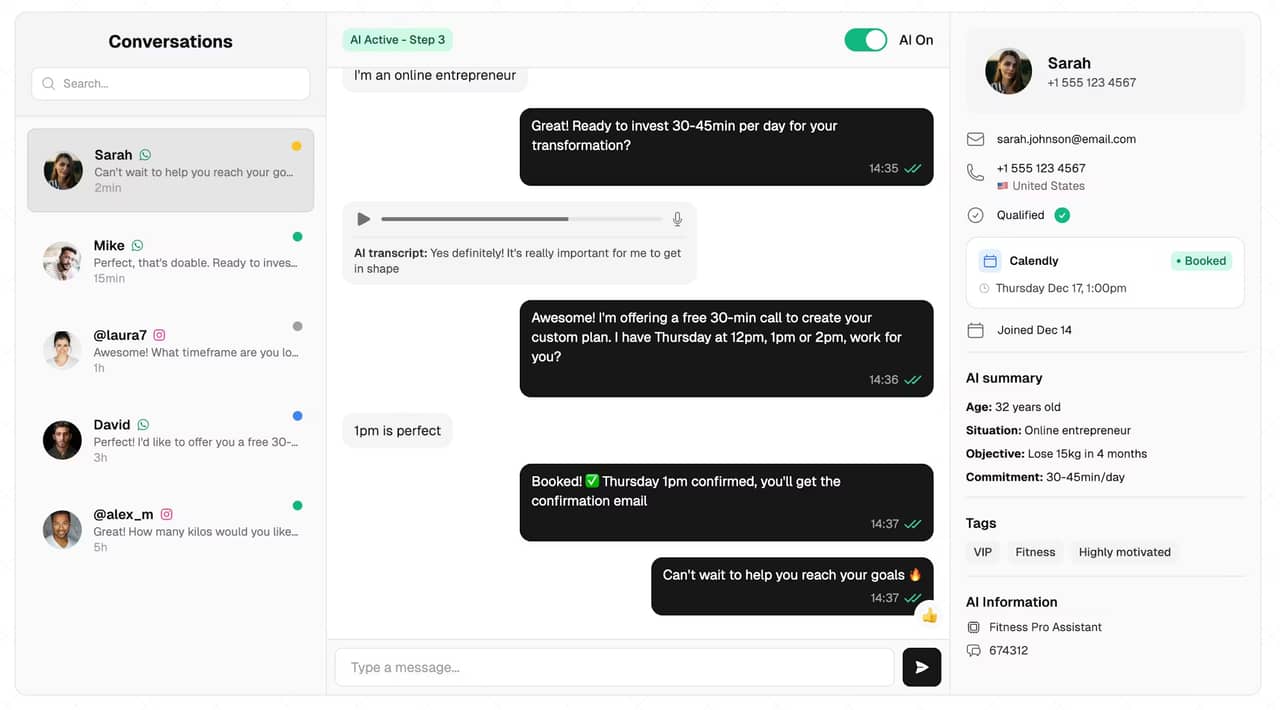
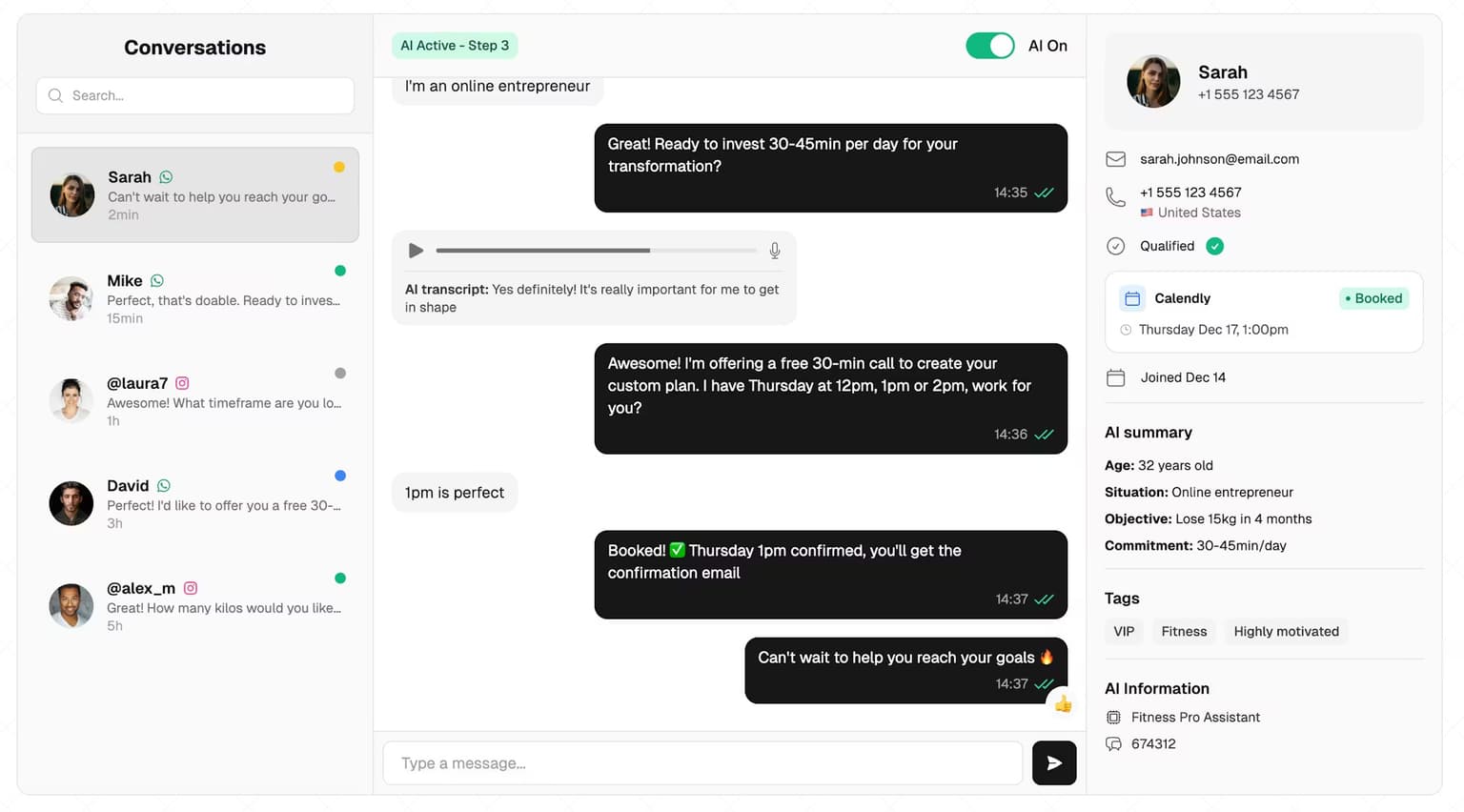
SetSmart. When Calendly is connected, SetSmart can send an automatic message at three moments: a booking confirmation, a cancellation follow-up and a no-show follow-up. On WhatsApp it sends the approved template you choose, with an optional delay; on Instagram and Messenger it sends a message only if the lead wrote within the last 24 hours, because that is the platform rule. SetSmart does not send timed "your call is in 1 hour" reminders: keep those in Calendly or Cal.com, and let SetSmart handle the conversation before the booking and the follow-up after a cancellation or a no-show.
Mistakes that make reminder texts backfire
- Sending from a number nobody recognises. A text from an unknown number the day before a call looks like spam. Tell the lead in the confirmation which number or account the reminders come from.
- No easy way to reschedule. A lead who cannot move the call simply does not show. Every reminder should carry a reschedule path that works on that channel.
- A sales pitch inside the reminder. On WhatsApp it changes the template category to marketing; everywhere, it makes the lead rethink the call.
- Too many messages. Three before the call is plenty. Five reminders for a 20-minute discovery call tells the lead you are desperate.
- Wrong time zone. "See you at 6" means nothing to a lead three hours away. Always add the time zone or the city.
- Reminders that ignore the conversation. A lead who told your setter "I can only do evenings" and then gets a generic template feels processed. Templates 2, 3 and 7 reuse what the lead said in the chat for that reason.
Reminders protect the call, conversations create it
Direct answer: reminders lift the show rate of calls you already booked; most lost calls are lost earlier, in the DM conversation that should have led to the booking.
A reminder only matters once a call exists, and that is where most coaching funnels leak. In the 828K AI DM conversations we analyzed, 53% died before the third message, and a single follow-up doubled booked calls. A perfect reminder sequence cannot rescue a lead who stopped replying on day one. The same goes for speed: a lead who waits hours for an answer has often booked with someone else, as our lead response time statistics show.
That is the gap an AI setter fills. SetSmart answers your Instagram, WhatsApp and Messenger DMs in seconds, asks your qualifying questions, follows up when a lead goes quiet, and books qualified leads straight into Calendly, Cal.com, iClosed or GoHighLevel. Your calendar sends the timed reminders, and you or your closer run the call. On SetSmart's plans each AI reply counts as one message and a WhatsApp template as half a message, with a free 7-day trial, then $97/month with 1,000 messages included on Pro.
FAQ
How do you write a reminder text for an appointment?
Start with the person's first name, say what the appointment is and who it is with, give the date, time and time zone, add the link or place, and end with one easy action such as "Reply YES to confirm". Keep it under 300 characters and leave out offers. Templates 6 and 11 above are ready to copy.
What is a good appointment reminder text example?
"Hi Sam, a quick reminder that your call with Sarah is tomorrow, Thursday at 6:00 pm (New York time). Reply YES to confirm, or 2 if you need a new time." It is short, specific, and turns the reminder into a two-way message.
How far in advance should you send an appointment reminder?
Send a confirmation right after the booking, a reminder 24 hours before, and a short nudge 30 to 60 minutes before. For calls booked more than a week ahead, add a reminder two or three days before. Do not send reminders at night in the lead's time zone.
Can you send appointment reminders through WhatsApp?
Yes. From the free WhatsApp Business app you can send one by hand at any time. Through the WhatsApp Business Platform (the API), you can send any message inside the 24-hour customer service window; outside it you need an approved template, and a non-promotional reminder is categorized as utility. Since 1 October 2026, Meta charges utility messages even inside the window. Either way, the person must have opted in to hear from you on WhatsApp.
What do you text a client who missed an appointment?
Send a short, friendly message within an hour: assume good faith, offer two specific new times, and give an easy way out if the timing is wrong. Stop after two or three attempts. Templates 15 to 18 cover the first message through the last.
Can I send appointment reminders in Instagram DMs?
Only within 24 hours of the lead's last message, because Instagram's messaging rules close the window after that and there are no approved templates to reopen it. Use the DM for the confirmation right after booking, and collect a phone or WhatsApp number for the day-before reminder.
Ready to automate your DMs?
Start your free 7-day trial and let AI handle your lead qualification 24/7.
Try SetSmart free